If your Bahrain eVisa upload failed:
Verify photo specs
40 x 60 mm, JPG or PNG, 120 KB limit
Check MRZ zone
Fully visible without glare
Clear browser cache
Remove cached session data
Retry on desktop Chrome
Most reliable setup for uploads
An upload failure is a file validation error, not a server outage or visa denial: the portal’s OCR at evisa.gov.bh rejects oversized files, HEIC/TIFF formats, or unreadable MRZ scans. NPRA gives you 7 days from its email notification to re-upload attachments via the Visa Data Correction tool; processing resumes in 6 to 8 business days.
Last updated: September 2026, based on NPRA guidelines and evisa.gov.bh requirements. This is an independent informational guide for travellers, not affiliated with the Bahrain NPRA or any government entity.
Why Does the Bahrain eVisa Upload Keep Failing?
Uploads fail primarily because photos exceed 120 KB, use HEIC/TIFF, or have unreadable MRZ zones – not due to server outages.
- File size over 120 KB – the Bahrain eVisa portal rejects photos above this limit; supporting documents allow up to 1-2 MB.
- Wrong image format – HEIC (default on iPhones) and TIFF files are rejected; only JPG, JPEG, and PNG are accepted.
- Unreadable MRZ – glare, blur, or cropped edges on the passport bio-page prevent the OCR scanner from reading the two coded MRZ lines.
Rejected Bahrain eVisa attachments can be fixed within 7 days via the Visa Data Correction tool under “eVisa Services” on evisa.gov.bh. NPRA (Nationality, Passports and Residence Affairs) sends email notifications when attachments are missing.
Bahrain eVisa Photo and Document Specifications
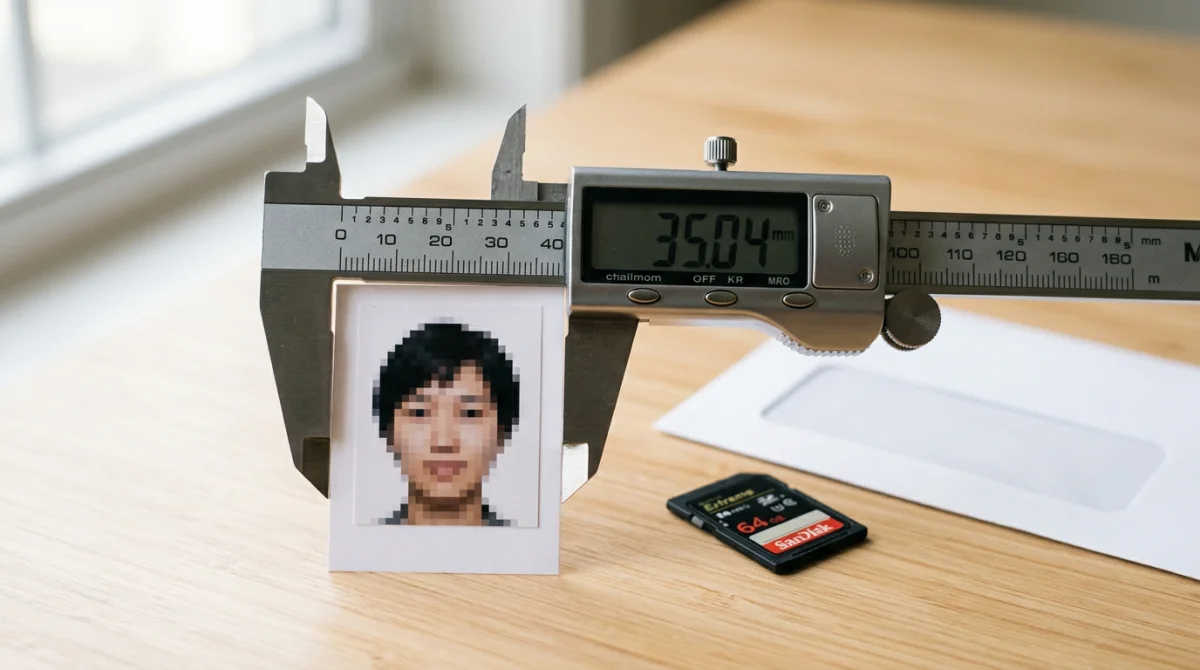
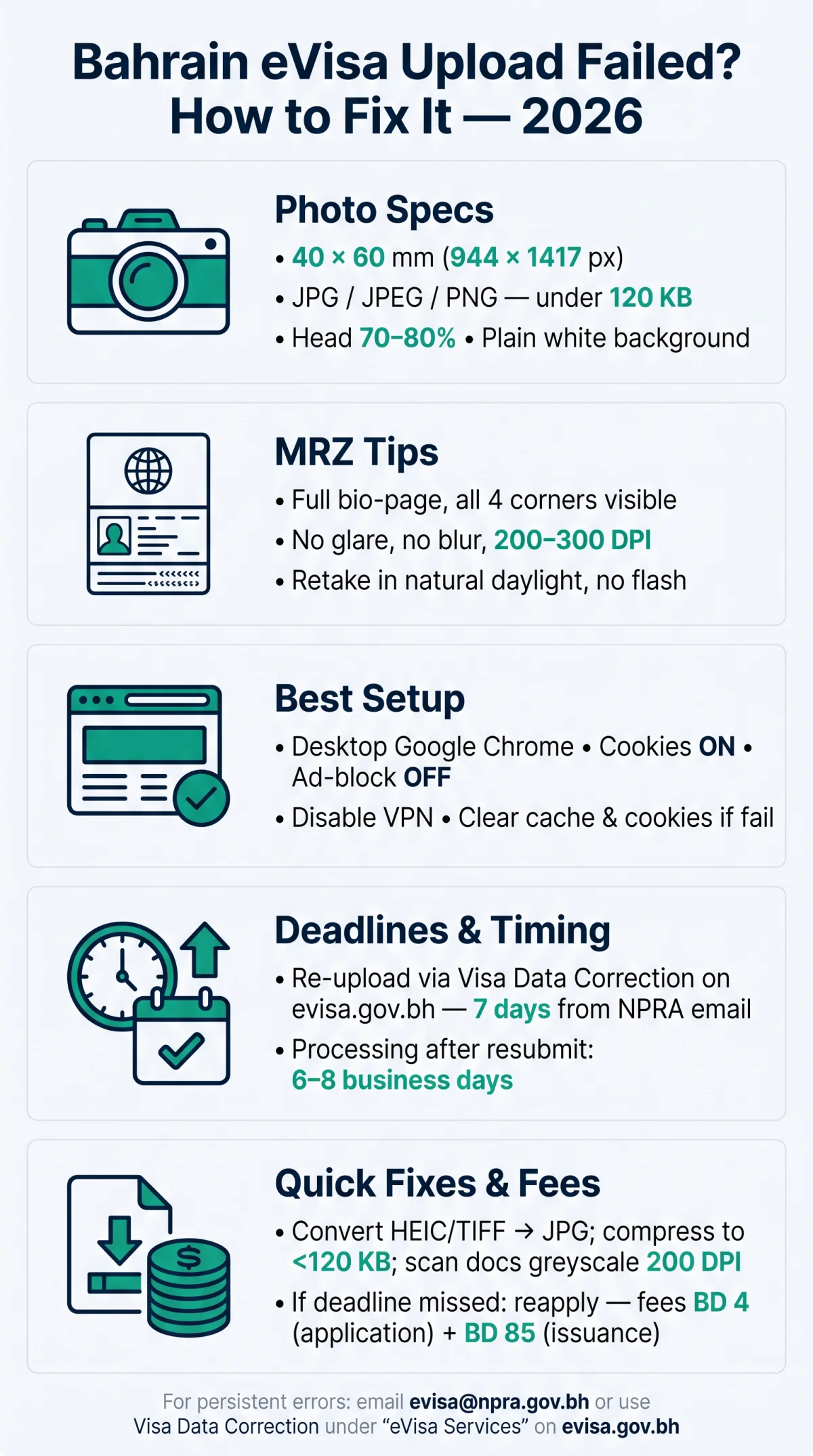
Start by confirming your Bahrain eVisa photo meets: 40 x 60 mm (944 x 1417 px), JPG/JPEG/PNG, under 120 KB, plain white background, head 70-80% of frame.
| Parameter | Requirement |
|---|---|
| Dimensions | 40 x 60 mm (944 x 1417 px) |
| File format | JPG, JPEG, or PNG |
| Max file size | under 120 KB |
| Background | Plain white |
| Head proportion | 70-80% of photo height |
| Chin to top of hair | Approximately 38 mm |
| Expression | Neutral, eyes open, direct gaze |
| Recency | Taken within last 6 months |
Prohibited items include dark sunglasses; medical glasses are allowed only if eyes remain visible without glare. Head coverings are allowed for religious or medical reasons only, with the full face visible. The Bahrain eVisa photo must be taken within the last 6 months with a neutral expression and direct gaze. Chin to top of hair distance should be approximately 38 mm.
What Is the MRZ and Why Does It Cause Upload Failures?
The MRZ is the two coded lines at the bottom of your passport bio-page. Flash glare or blur prevents the Bahrain eVisa portal’s OCR (Optical Character Recognition) scanner from reading them.
The MRZ encodes your name, passport number, nationality, and expiry date. During upload, the eVisa system runs OCR to extract and verify this data automatically. Five triggers break the scan:
- Flash glare covering the MRZ lines
- Blurry or out-of-focus capture
- Fingers or shadows obscuring the zone
- Wrong angle causing perspective distortion
- Cropped edges cutting off MRZ characters
Re-photograph in natural daylight without flash, at 200-300 DPI, with all four corners of the bio-page visible. If the MRZ is rejected, use the Visa Data Correction tool within 7 days before the Bahrain eVisa application is automatically cancelled.
How to Troubleshoot and Fix a Failed Upload
If your Bahrain eVisa upload failed, map the error to a specific fix: compress files to 120 KB, convert HEIC to JPG, clear browser cache on desktop Chrome, or use the Visa Data Correction tool.
| Error | Cause | Fix |
|---|---|---|
| File too large | Photo > 120 KB or document > 2 MB | Reduce DPI to 200; compress with online tool; convert text docs to greyscale |
| Invalid file format | HEIC, TIFF, or PDF uploaded | Convert to JPG, JPEG, or PNG |
| Upload failed (generic) | Browser cache, ad-blocker, or session timeout | Clear cache & cookies; disable ad-blocker; switch to desktop Chrome |
| Invalid document | MRZ lines obscured by glare or blur | Re-photograph in natural daylight; ensure all four corners visible |
| HTTP 500 | Temporary server overload | Wait 15 min; retry; email [email protected] |
| Upload freezes mid-transfer | Slow or unstable internet connection | Switch to stable WiFi; upload files sequentially, not simultaneously |
Why Your Upload Fails – Filename Issues
Special characters (#, @, %), spaces, or non-Latin scripts in filenames cause silent Bahrain eVisa upload rejections. Use alphanumeric characters only (e.g., passport_copy.jpg, not paszport kopia (2).jpg).
Browser and Device Compatibility: What Actually Works
Desktop Google Chrome with cookies enabled and ad-blockers disabled is the most reliable setup for Bahrain eVisa uploads. Safari on iOS and mobile browsers are known to cause Bahrain eVisa file-picker or timeout errors.
- Recommended setup: desktop Chrome, ad-blocker OFF, cookies enabled, latest browser version
- Known problems: Safari iOS file picker issues, Firefox JavaScript blocks, mobile browser timeouts
- VPN interference: disable VPN during upload – it can trigger a generic “upload failed” error
- iPhone workaround: use the “Desktop Site” toggle in Safari
- Session timeout: forms expire after ~15-20 minutes; upload files sequentially on stable WiFi
How to Fix a Failed Upload Without Reapplying
The Visa Data Correction tool under “eVisa Services” on evisa.gov.bh lets applicants re-upload rejected Bahrain eVisa attachments within 7 days of the NPRA email notification – after which the application is automatically cancelled.
What can be corrected: attachments only (photos, scans) – NOT personal data (passport number, name spelling). After resubmission, expect 6 to 8 business days for processing. If 7 days have passed, the only option is a new Bahrain eVisa application with new fees (application fee BD 4 + issuance fee BD 85).
If All Else Fails: Contact NPRA
Email: [email protected] or [email protected]. eGovernment WhatsApp: 32188288. Physical address: NPRA, Main Exhibition Road, Manama, Kingdom of Bahrain. Bring printed application confirmation and passport for in-person support.
Bahrain eVisa Upload Failed: FAQ
What to do if my Bahrain eVisa upload failed?
Verify photo specs (40 x 60 mm, JPG/PNG, under 120 KB), clear MRZ without glare, clear cache, switch to desktop Chrome. Use Visa Data Correction within 7 days if the error persists.
How long do I have to correct a Bahrain eVisa upload error?
7 days from the notification date. Use the Visa Data Correction tool under “eVisa Services” on evisa.gov.bh; processing takes 6 to 8 business days after resubmission.
What file format does the Bahrain eVisa accept for photos?
Only JPG, JPEG, and PNG. HEIC (default on iPhones) and PDF files will be rejected – convert before uploading.
What is the maximum file size for the Bahrain eVisa upload?
Passport photos must be under 120 KB. Supporting documents can be up to 1 to 2 MB. Scan text documents in greyscale at 200-300 DPI.
Why does my Bahrain eVisa upload keep failing in Chrome?
Ad-blocker or cached session data. Disable extensions, clear cookies, and use desktop Chrome. Also disable VPN during upload.
Can I use a selfie for my Bahrain eVisa photo?
Yes, if it meets 40 x 60 mm dimensions, plain white background, neutral expression, head 70-80% of photo height, taken within 6 months.
How do I scan my passport MRZ for the Bahrain eVisa?
Photograph the full bio-page in natural daylight without flash. Ensure all four corners and both MRZ lines are sharp and visible.
Is the Bahrain eVisa server down if I get an HTTP 500 error?
Server downtime is rare. Wait 15 minutes and retry. If it persists, email [email protected] with your reference number.
Do I need to pay again if my Bahrain eVisa upload failed?
No – corrections within the 7-day window are free. Miss the deadline and the application is cancelled; fees are non-refundable, so a new application with new payment is required.
What happens if I miss the 7-day correction deadline for my eVisa?
Your application is automatically cancelled. You must start a new application with a new payment; original fees are non-refundable.