The Bahrain eVisa edit application process requires using the Visa Data Correction service on evisa.gov.bh, operated by the Nationality, Passports & Residence Affairs (NPRA) under the Ministry of Interior from Manama, Kingdom of Bahrain. Corrections are possible only after NPRA sends a notification email, giving applicants a strict 7-day window (calculated in Bahrain Standard Time, GMT+3) to re-submit the amended application. This is an independent informational website for travellers; we are not affiliated with the Government of Bahrain. Always verify details on the evisa.gov.bh portal. Last updated: 7 September 2026.
Can You Edit a Bahrain eVisa Application After Submission?
You can edit your Bahrain eVisa application only when the NPRA sends a correction email; approved visas with errors require a new application (full fee applies). Three scenarios determine your next step:
- Scenario A – You spot a typo before NPRA review. Access the Visa Data Correction tool proactively under “eVisa Services” on the government portal.
- Scenario B – NPRA emails you requesting correction. A strict 7-day window from the notification date applies; navigate to “Visa Data Correction” to edit flagged fields.
- Scenario C – visa already approved with an error. You must submit a completely new Bahrain eVisa application and pay the full fee again (standard fee: 4 BHD, non-refundable).
Data Errors vs. Missing Documents
NPRA issues correction emails for two reasons: incorrect personal data (name, date of birth, passport details) or missing supporting attachments. Both route applicants to the same correction portal, but each requires different actions: data fixes involve editing form fields, while missing attachments require uploading documents in JPG, PNG, or PDF format.
Step-by-Step Guide to Correcting Your Bahrain eVisa Application
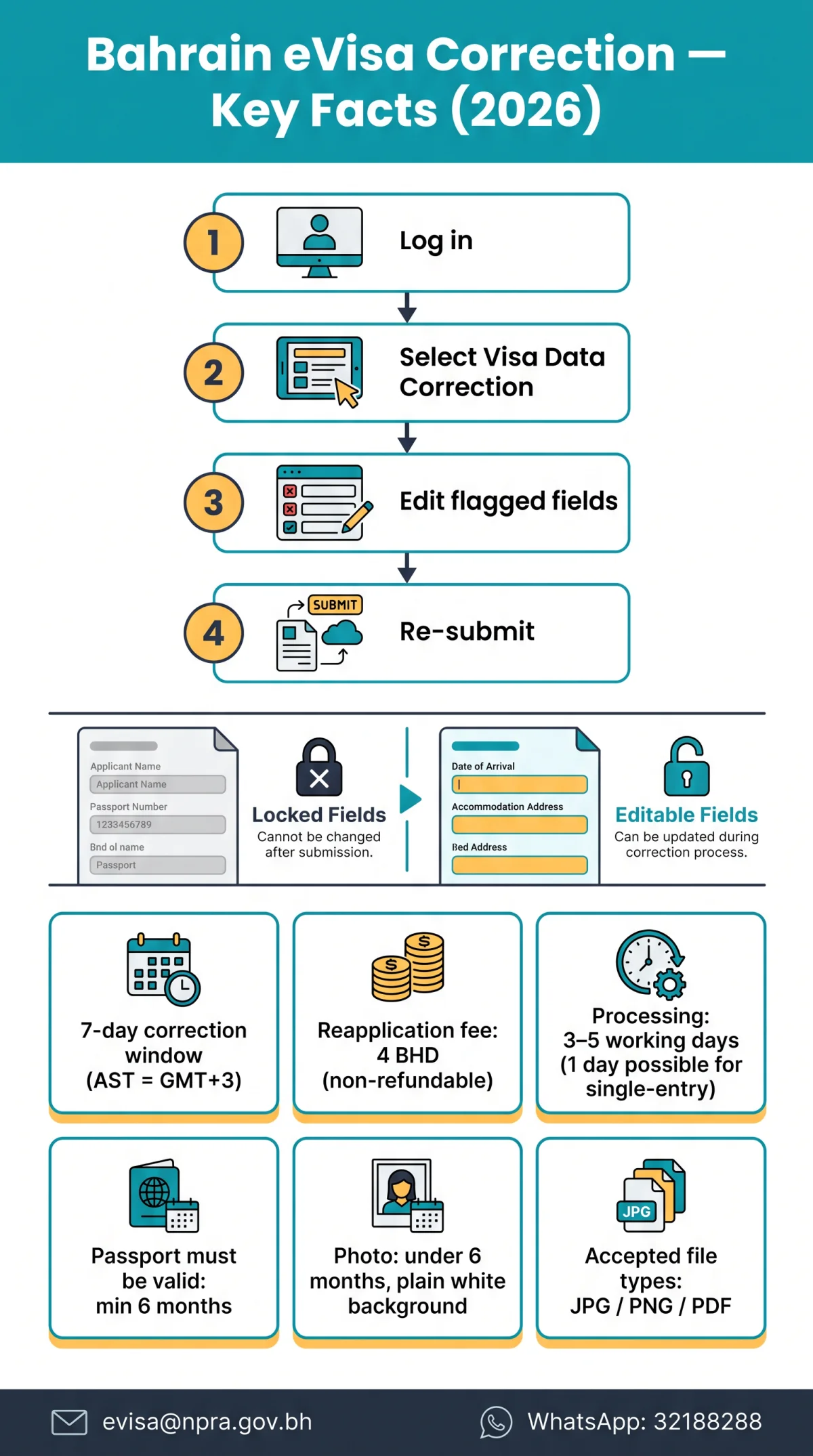
Four steps: log in, select Visa Data Correction, edit flagged fields, and re-submit.
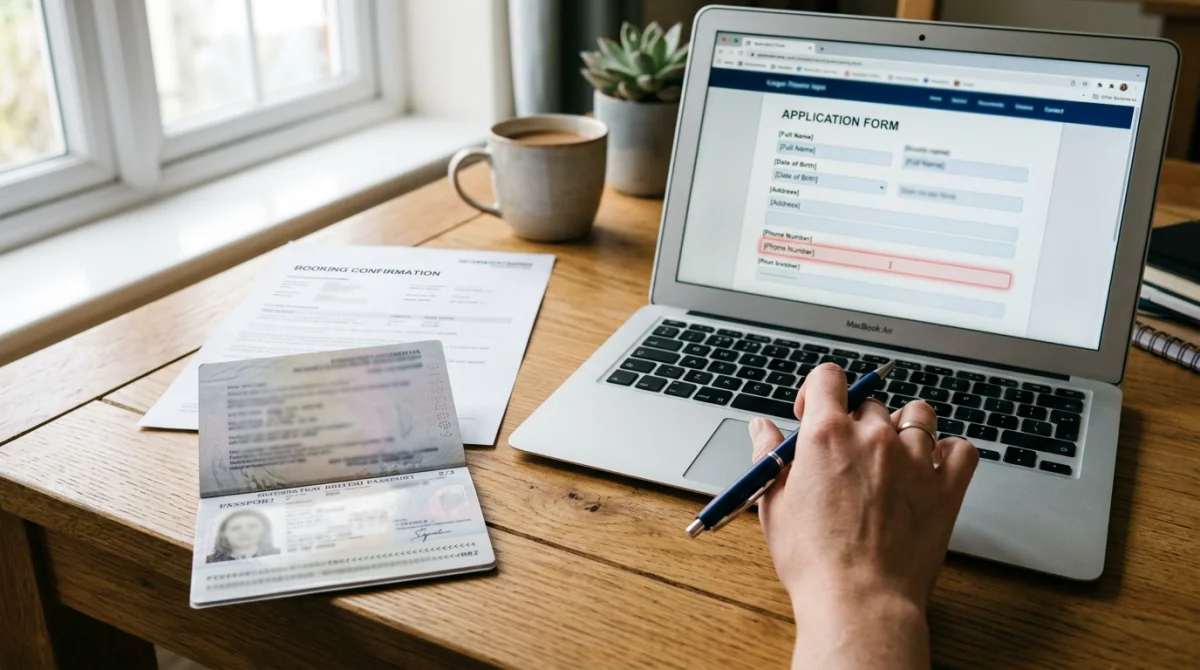
Before You Begin
| Item | Where to Find It |
|---|---|
| Application Reference Number | Confirmation email or portal account |
| Passport number | Must match the original submission exactly |
| Email address | The address used during initial filing |
Log in
Access evisa.gov.bh using the email and credentials from your original application.
Navigate to Visa Data Correction
From the main menu, select eVisa Services, then click Visa Data Correction to open the editable form.
Edit flagged fields
Correct only the fields the NPRA has flagged; a change log records every modification within the correction process.
Re-submit
Click re-submit to forward the corrected Bahrain eVisa application back to the NPRA for processing.
What You Can and Cannot Change – Editable vs. Locked Fields
Names, travel dates, email, photos, and passport scans are editable; passport number and nationality are locked.
| Field | Status | Notes |
|---|---|---|
| Full name | 🟢 Editable | Must match the bio-data page exactly, including accents and hyphens. |
| Date of birth | 🟢 Editable | Correct if flagged by NPRA. |
| Travel dates | 🟢 Editable | Adjust arrival or itinerary details. |
| Email address | 🟢 Editable | Used for all correction notifications. |
| Passport photo | 🟢 Editable | Replaceable within correction window; JPG/PNG/PDF accepted. |
| Passport bio-data scan | 🟢 Editable | Clear, colour scan of the bio-data page. |
| Passport number | 🔴 Locked | Changing it voids the application – a new application is required. |
| Nationality | 🔴 Locked | Cannot be amended under any circumstances. |
Every character must match the passport bio-data page exactly. Replacement photos must be under 6 months old, with a plain white background and no head coverings unless worn for religious reasons. Your passport must have at least 6 months validity beyond your date of arrival. Replacement biometric photo requirements include a plain white background and full face, front view.
Correction vs. Full Reapplication
| Criteria | NPRA Correction | Full Reapplication |
|---|---|---|
| Cost | Free | 4 BHD (~$10.60 USD), non-refundable |
| Timeline | 3-5 working days after re-submission | 3-5 working days (1 day possible for single-entry tourist) |
| When to use | NPRA sends correction email | Approved visa with error, missed deadline, or wrong passport number |
The 7-Day Correction Window – Don’t Miss This Deadline
7 days from NPRA email (AST=GMT+3), not when you open it. For UK travellers, British Summer Time (BST=GMT+1) is 2 hours behind AST: if NPRA emails you on Wednesday 10 Sep 2026 at 14:00 AST, your deadline is Wednesday 17 Sep 2026 at 12:00 BST in London. Missing this window triggers automatic application cancellation.
UK tip: Check spam/junk folders for NPRA emails; set a calendar reminder in BST immediately upon receipt. No website or company operates on behalf of the Government of Bahrain; use only evisa.gov.bh for your Bahrain eVisa application correction.
Documents, Fees & Tracking
Documents: Replacement passport scan: clear, colour, bio-data page (JPG/PNG/PDF). Replacement biometric photo: taken within 6 months, plain white background, full face, front view, neutral expression, no head coverings unless religious.
Fees: NPRA-initiated corrections are free. If you must reapply after cancellation or an approved-visa error, the 4 BHD (~$10.60) fee is non-refundable. Apply at least 1-2 weeks before travel; processing takes 3-5 working days (1 day possible for single-entry tourist visas).
Tracking: Check status at the Visa Enquiry page using your Application Reference Number, passport number, nationality, and date of birth. Expected labels: “Correction Received”, “Under Review”, “Approved”, “Rejected”. If unchanged for 48 hours, contact [email protected]. You can also check your Bahrain eVisa status through our detailed tracking guide.
Technical Troubleshooting & Fallback Email
If the correction page won’t load, clear browser cache, disable VPN, or try a different browser. If the portal remains inaccessible, send this pre-written email to [email protected] before the deadline expires:
Subject: URGENT: Correction Window Expiring – [Application Reference Number]
Body: Dear NPRA, I received a correction notification on [date] but the Visa Data Correction page is inaccessible. My Application Reference Number is [number]. I am attempting to complete corrections within the 7-day window. Please advise. For urgent assistance, the eGovernment WhatsApp service is available at 32188288 (Bahrain).
Frequently Asked Questions (FAQ)
Can I change the photo on my eVisa application?
Yes – within correction window. Upload via Visa Data Correction (JPG/PNG/PDF, under 6 months old, white background, full face, no head coverings unless religious).
What if I noticed the mistake after paying the fee?
Correction tool remains accessible if NPRA hasn’t processed your submission. The 4 BHD fee is non-refundable regardless of outcome.
Does correcting my application cost extra?
No. NPRA-initiated corrections are free. If you must reapply, the full 4 BHD fee applies again.
Can I submit corrections more than once?
Sources do not specify a limit. The NPRA grants a single 7-day window. If you need multiple rounds, contact [email protected] before the deadline.
Does having an eVisa guarantee entry to Bahrain?
No. Holding a valid eVisa does not guarantee entry to Bahrain. Travellers must meet all entry conditions upon arrival. The visa fee is non-refundable even if entry is refused.
How do I check if my correction was received?
Visit the Visa Enquiry page and enter your Application Reference Number, passport number, nationality, and date of birth. If status is unchanged after 48 hours, contact [email protected].
What happens if I miss the 7-day correction deadline?
The NPRA automatically cancels your application. You must submit a new Bahrain eVisa application and pay the full fee again.
Can I change my passport number on the eVisa application?
No. The passport number is locked. If incorrect, you must submit a completely new application with the correct passport details and pay the full fee again.